


Computer Repair Services in Tucson, AZ | Ready Set Repair
When your computer crashes right before a deadline, freezes during an important video call, or refuses to boot up at all, you need help fast. At Ready Set Repair, we fix laptops and desktops quickly and correctly—whether you’re dealing with a cracked screen, a dying battery, or a system that won’t turn on.
We repair all major brands including MacBook Air, MacBook Pro, gaming laptops, desktop PCs, and iMacs at our three Tucson locations. Most repairs are completed the same day, and we back every repair with a warranty so you can trust the work will last.
Common Computer Problems We Fix Daily
Cracked or Broken Screens Dropped your laptop? Screen damage is one of the most common issues we see. Whether it’s a shattered display, flickering lines, or a completely black screen, we replace laptop and desktop monitors with quality parts that match your original specs.
Battery Won’t Hold a Charge If your laptop dies after 20 minutes unplugged or won’t charge past a certain percentage, the battery has likely reached the end of its life. We replace worn-out batteries with reliable alternatives that restore your laptop’s portability and performance.
Overheating and Loud Fans Computers that run hot or sound like a jet engine taking off usually have clogged vents or failing cooling systems. Overheating can damage internal components over time, so we clean out dust buildup, replace thermal paste, and repair or replace faulty fans to keep your system running cool and quiet.
Won’t Turn On or Boot Up A computer that won’t power on can stem from multiple causes—a failed hard drive, corrupted software, motherboard issues, or power supply failure. Our technicians diagnose the root cause and get your system operational again without unnecessary part replacements.
Slow Performance and Freezing If your computer takes forever to start up, programs crash constantly, or you see the spinning wheel of death too often, the issue could be a failing hard drive, insufficient RAM, or software conflicts. We identify what’s slowing you down and recommend practical fixes that improve speed without forcing you to buy a new machine.
Charging Port Issues Loose or broken charging ports prevent your laptop from powering up. If you have to wiggle the charger to get it to work or it won’t charge at all, we can repair or replace the charging port so your device charges reliably every time.
Water and Liquid Damage Spilled coffee on your keyboard? Liquid damage requires immediate attention to prevent corrosion and permanent failure. We disassemble your device, clean affected components, and assess what can be saved. The faster you bring it in, the better the chance of a full recovery.
Virus and Malware Removal Pop-ups, sluggish performance, and programs opening on their own are signs of malware infection. We remove viruses, spyware, and unwanted software, then set up protective measures to keep your computer secure going forward.Data Recovery and Hard Drive Replacement Hard drives fail without warning. If your computer won’t boot or you’re hearing clicking sounds, your data could be at risk. We recover files when possible and replace failing drives with solid-state or traditional hard drives based on your needs and budget.
Our Computer Diagnostic Process
We don’t guess. We test, diagnose, and explain exactly what’s wrong before we start any repair.
Step 1: Free Diagnostic Evaluation Bring your computer to any of our three Tucson locations. We’ll run a complete diagnostic to identify hardware and software issues. This evaluation is free—you only pay if you decide to move forward with the repair.
Step 2: Clear Explanation and Upfront Pricing Once we know what’s wrong, we’ll explain the problem in plain language and provide transparent pricing before any work begins. No hidden fees, no surprise charges. If the repair doesn’t make financial sense, we’ll tell you honestly.
Step 3: Quality Repair with Reliable Parts We use quality components and manufacturer-recommended procedures to make sure your repair lasts. Whether it’s a screen replacement or a full system rebuild, we treat your computer like it’s our own.
Step 4: Testing and Quality Check Before we hand your computer back, we test everything—boot speed, functionality, temperature, and any specific issues you reported. We don’t consider the job done until your computer performs the way it should.
Step 5: Warranty Protection Every repair comes with a warranty. Screens are covered for one year, parts and batteries for 90 days, and other components for 30 days. If something goes wrong, bring it back and we’ll make it right.
Frequently Asked Questions
How long does a computer repair take?
Most repairs are completed the same day. Simple fixes like battery replacements or screen repairs are often done within a few hours. More complex issues like motherboard repairs or data recovery may take 1-2 business days depending on parts availability.
Do you repair both Windows PCs and Macs?
Yes. We work on all major brands and operating systems including MacBook Air, MacBook Pro, iMacs, Dell, HP, Lenovo, Asus, Acer, and custom-built gaming PCs.
How much does a computer repair cost?
Pricing depends on the specific issue and parts needed. We provide a free diagnostic and upfront quote before starting any work. Common repairs like screen replacements typically range from affordable to mid-range depending on your model, and we’ll always explain your options clearly.
Is it worth repairing my old computer, or should I buy a new one?
That depends on the age of your computer and the cost of repair. If a simple fix like a new battery or RAM upgrade will extend your computer’s life by a few years, repair makes sense. If the motherboard is failing on a 10-year-old machine, replacement might be the smarter choice. We’ll give you an honest recommendation either way.
What should I do if my computer has liquid damage?
Turn it off immediately and bring it to us as soon as possible. Don’t try to power it on or charge it. The faster we can disassemble and clean the internal components, the better chance we have of preventing permanent damage.
Do you offer data backup or transfer services?
Yes. If your hard drive is failing or you’re upgrading to a new computer, we can back up your files and transfer them to a new drive or device.
Can you remove viruses and malware?
Absolutely. We remove all types of malware, spyware, and adware, and we’ll recommend security software to help protect your computer moving forward.
Do you work on gaming laptops and custom-built PCs?
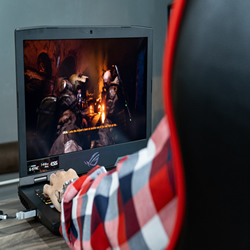
Yes. We repair gaming laptops and custom desktop builds, including GPU replacements, cooling system upgrades, and performance troubleshooting.
What warranty do you offer?
We provide a 1-year manufacturer warranty on screens, 90-day warranty on parts and batteries, and 30-day warranty on other components. Physical damage, liquid damage, or third-party repairs void the warranty.Do I need an appointment?
Walk-ins are welcome at all three locations, but you can also call ahead if you prefer. We’re here Monday through Saturday, 10:00 AM to 6:00 PM.
Three Tucson Locations Ready to Help
Tucson – Grant Rd 890 W Grant Rd D, Tucson, AZ 85705 (520) 981-5840
Tucson – Ina Rd 2958 W Ina Rd, Tucson, AZ 85741 (520) 561-4748
Tucson – Oracle Rd 7856 N Oracle Rd, Tucson, AZ 85704 (520) 310-0904
Bring your computer to the location that’s most convenient for you. All three shops are staffed with experienced technicians and offer the same fast, reliable service.
Need Help With a Different Device?
Give Us A Call, We’re Happy to Help
